 Capy Scan
Free
Scanning stays free
Scan, save, share and print with no page limit. Pro is a one-time purchase. Pay once and you're done.
A calm PDF scanner for iPhone
Capy Scan straightens the pages you shoot into PDFs you can search, right down to the text inside. No ads, no watermarks, no subscription. Your images and text never leave your iPhone.
Scanning is free forever · Pro is a one-time purchase · iOS 18 or later
Why Capy Scan
You just wanted a PDF. Instead you got a weekly subscription, a login screen, and a logo stamped on your page. Capy Scan does none of that.
Free
Scan, save, share and print with no page limit. Pro is a one-time purchase. Pay once and you're done.
0
Even on the free plan, your PDFs carry no logo, and there are no ads anywhere in the app.
0
Text recognition and translation run on your iPhone. There's no account, and nothing tracks how you use the app.
Scan · Tidy · Find · Send
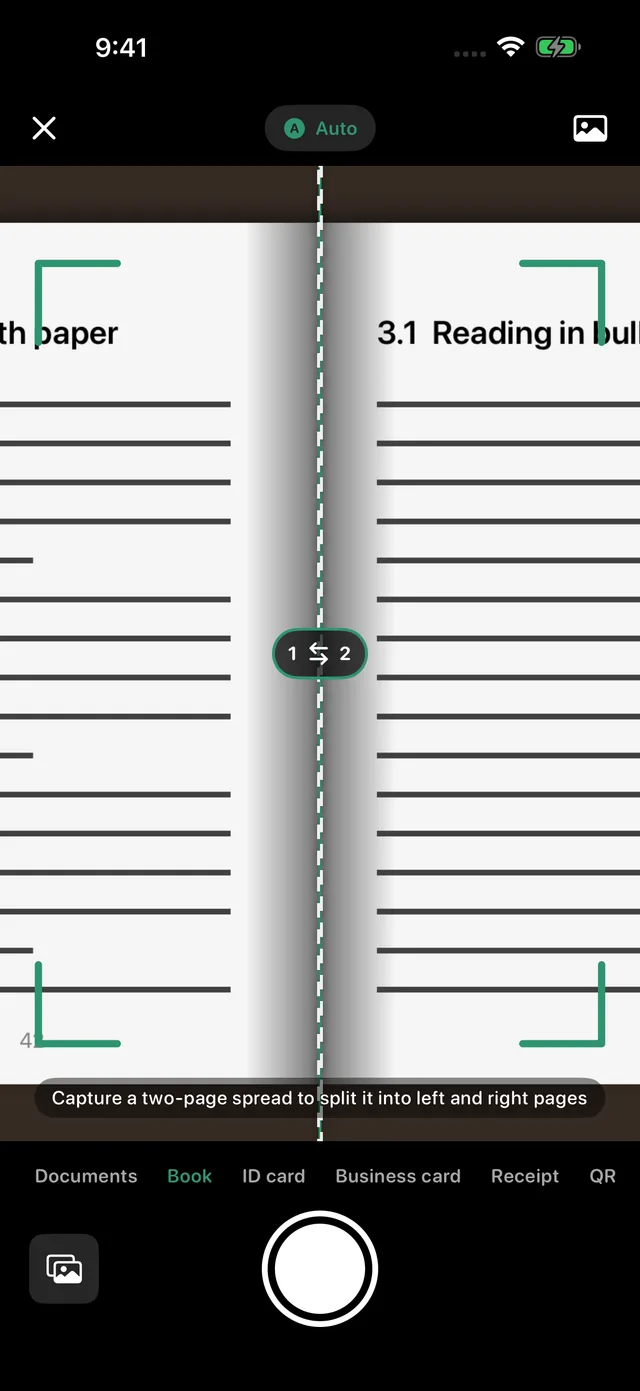
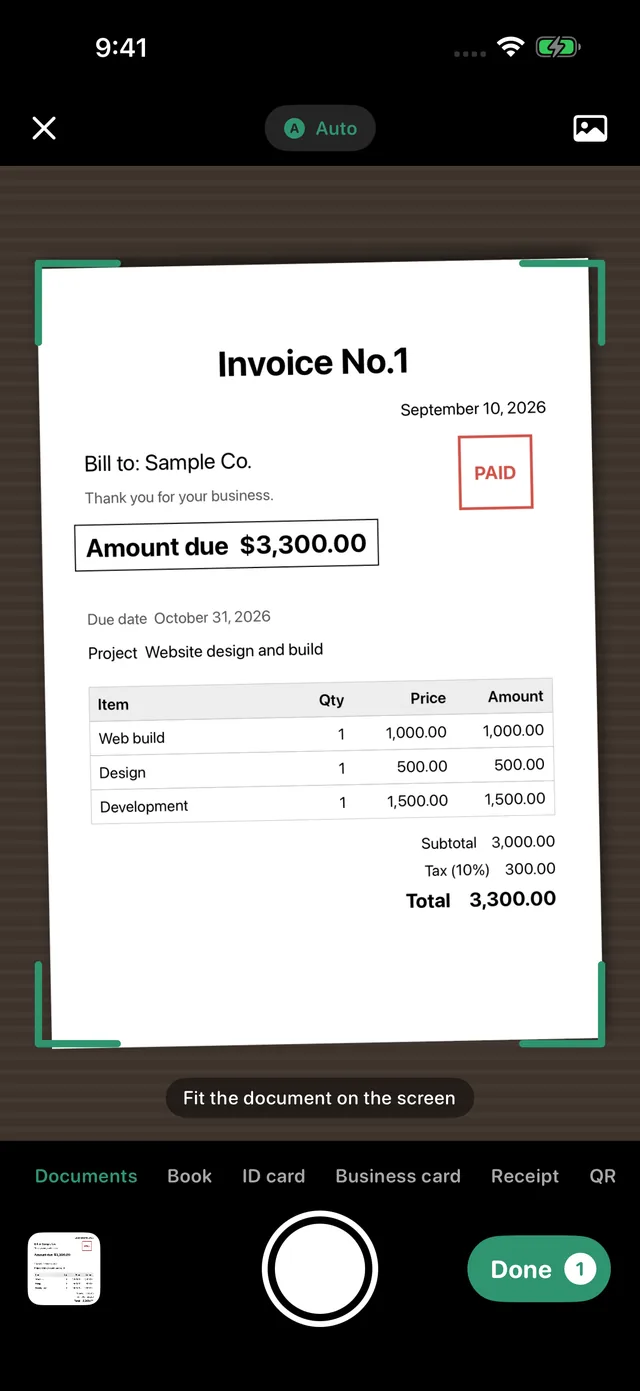
1Scan
Capy Scan finds the four corners, fixes tilt and distortion, and crops the page. Shot at an angle? It's saved at its true proportions, not squashed.
2Tidy
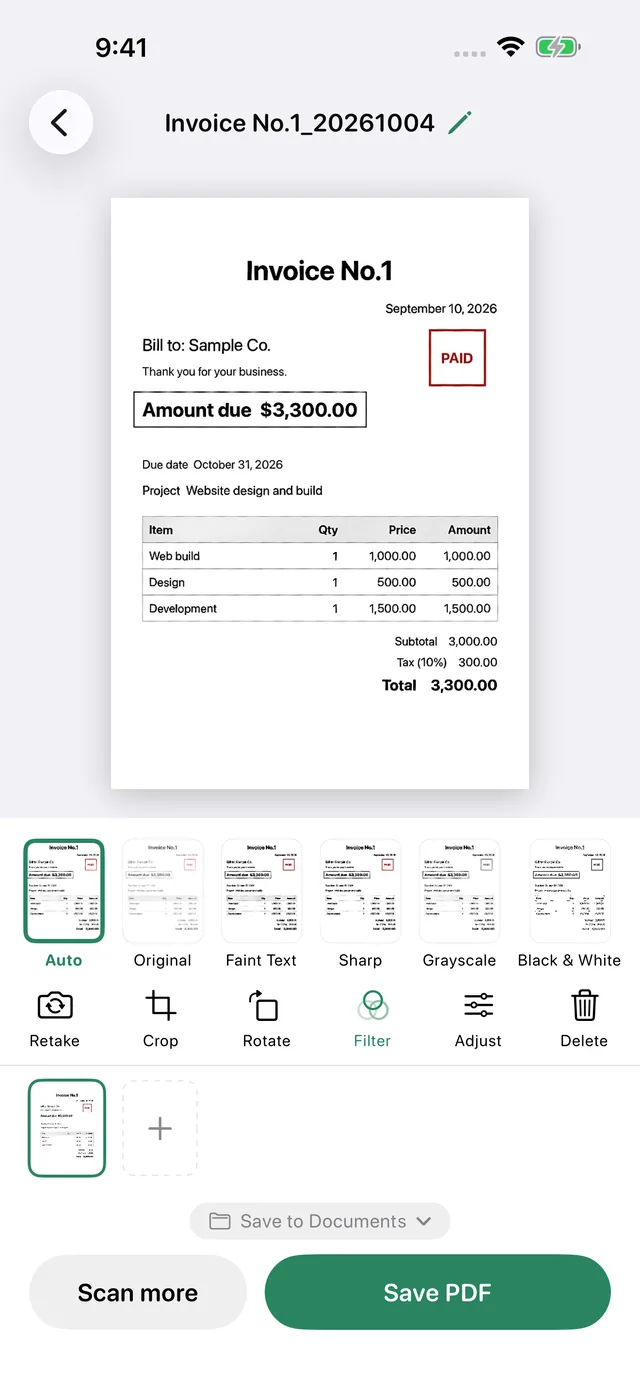
Pick a filter from live previews. Shadows and lighting tints are removed first, for white paper and black text, while faint pencil and red stamps stay.
3Find
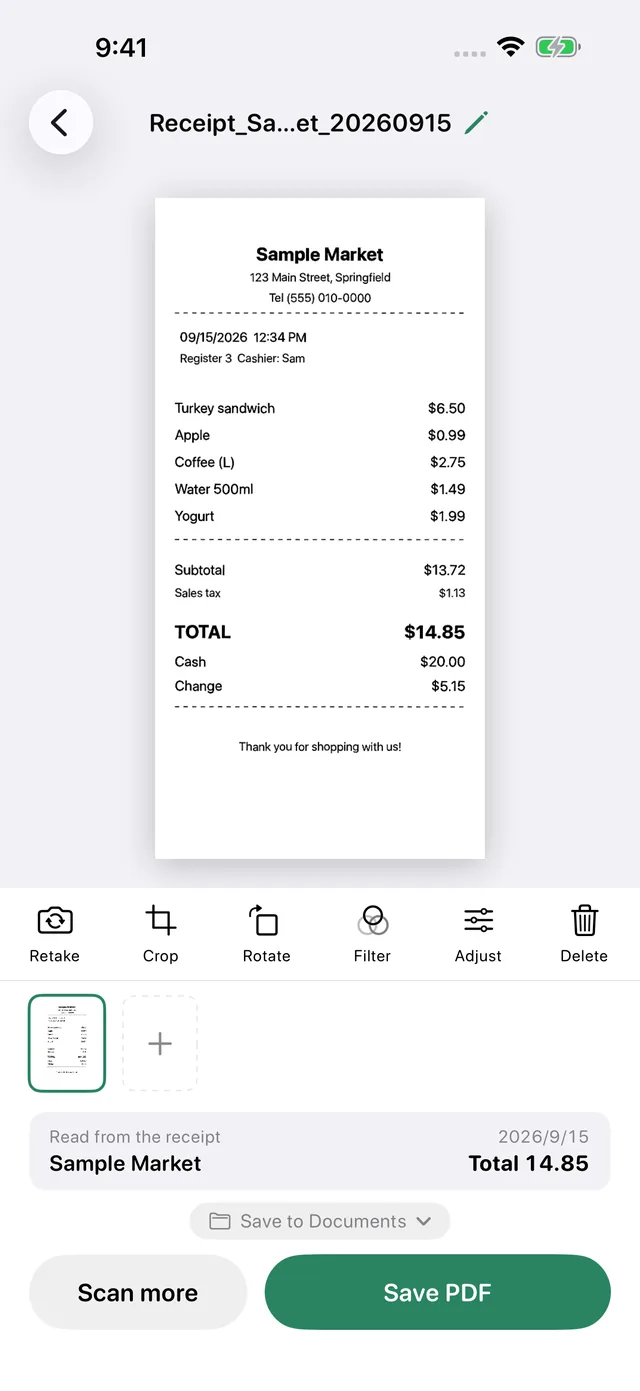
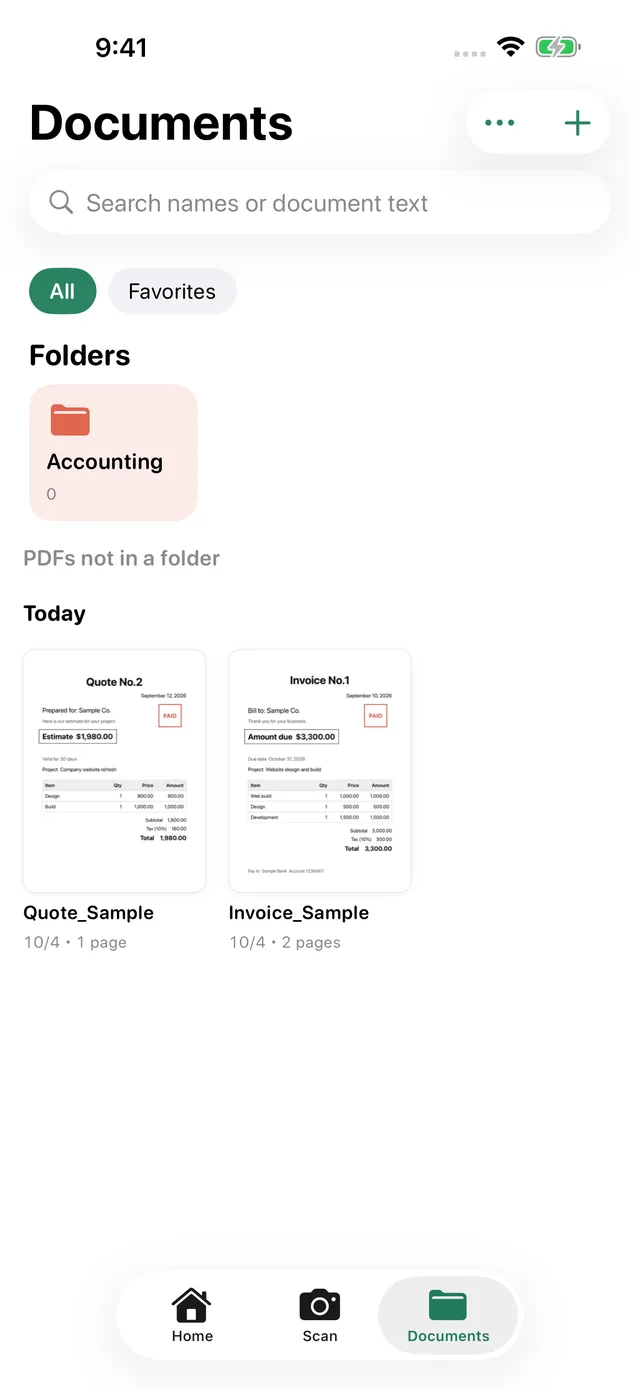
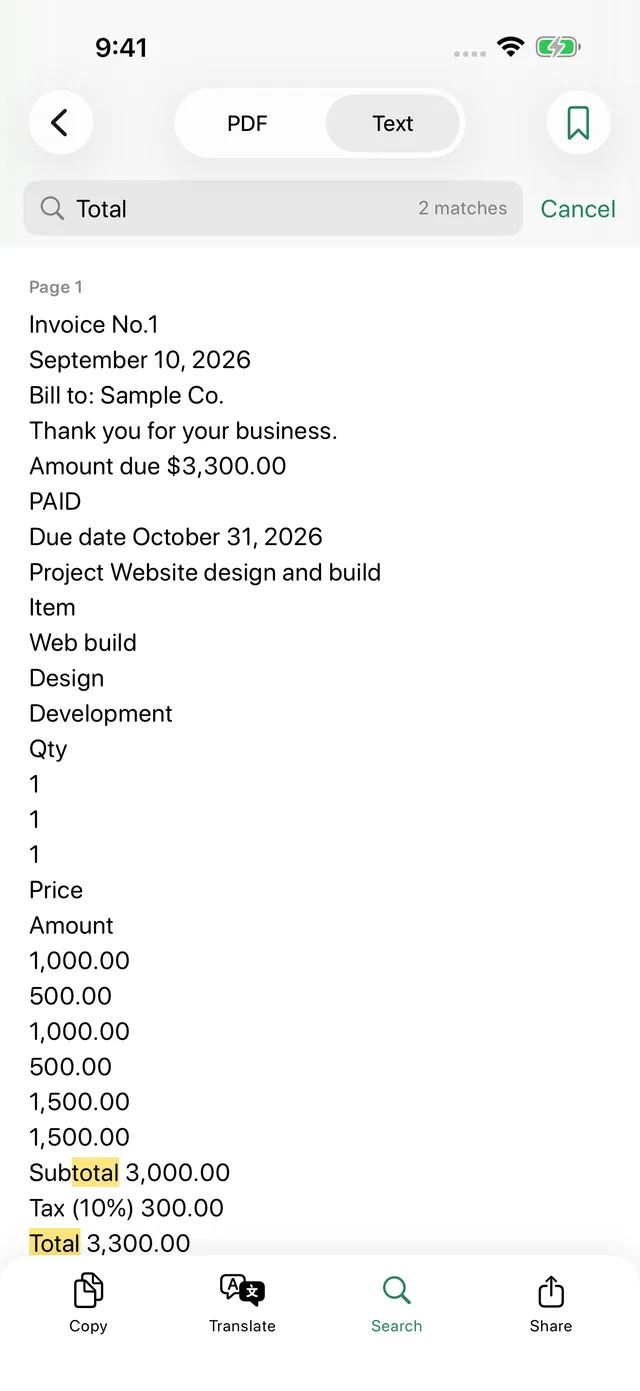
Text is recognized on your iPhone and added to each PDF as an invisible layer. Search for “total” or a company name across everything you've scanned.
4Send
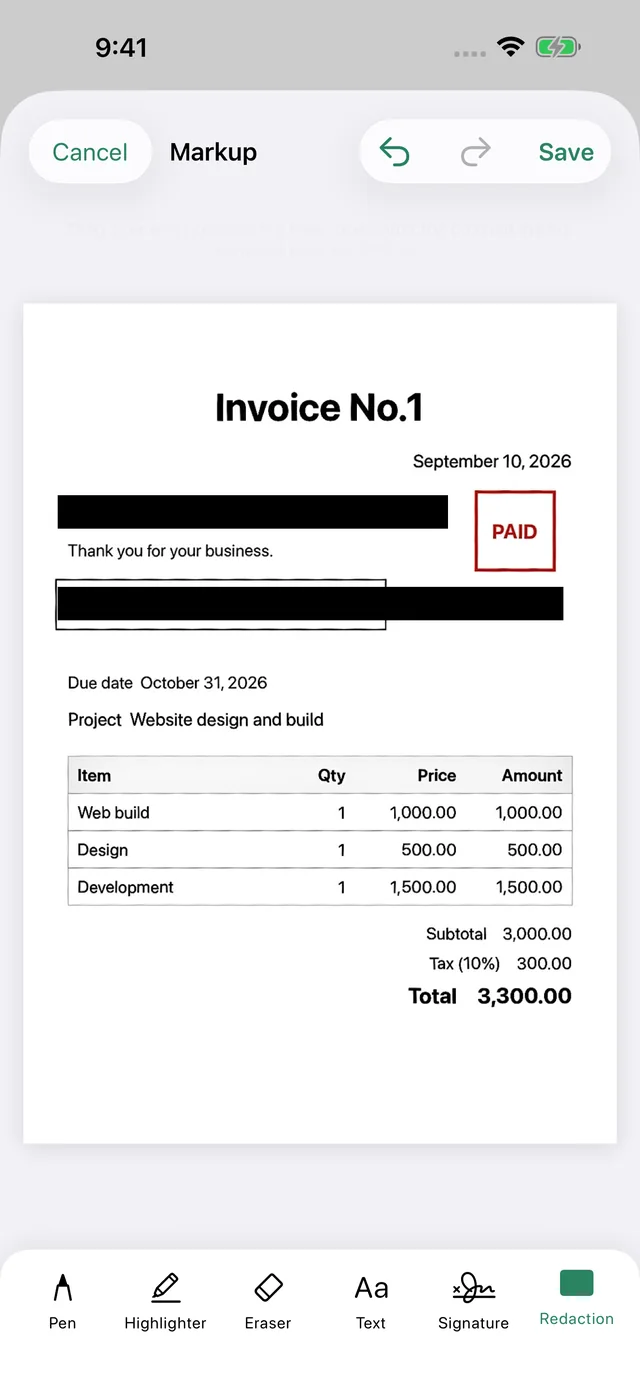
When you black out an account number or address, the page is flattened and its text recognized again. Whoever you send it to can't copy what's underneath.
What you can scan
Switch modes at the bottom of the camera. Each one crops and reads the page in its own way.
Invoices, contracts, school handouts. Finds the corners and captures on its own.
Splits a spread into two pages and flattens the curve. Drag the line to set the gutter.
Puts the front and back on one page at actual size, ready to print as a copy.
Reads the name, company, title, phone, email and address, and adds them to Contacts.
Reads the store, date and total and uses them for the name. Handy for expenses and tax time.
Reads QR codes and barcodes so you can open or copy the link.
And also
List or grid view, with Favorites one tap away.
Your PDFs sit in On My iPhone → Capy Scan, ready for other apps.
Reorder, rotate, delete, add. Merging and extracting are Pro.
Start a scan from the Home Screen, Lock Screen or Control Center.
Lock the whole app, even when you hand your phone over.
Save your signature once, then drop it onto any contract.
Get a nudge on the due date. Tap it to open the document.
English, Japanese, Chinese, Korean, German, Spanish and more.
Privacy
Capy Scan has no servers. Images, recognized text and the PDFs you make leave your device only when you choose to share them.

Recognition and translation on deviceBuilt on Apple's Vision and Translation. No image or text is sent to a server.
No accountNo sign-up, no login. We never ask for your email.
No trackingNo ad or analytics SDKs inside.
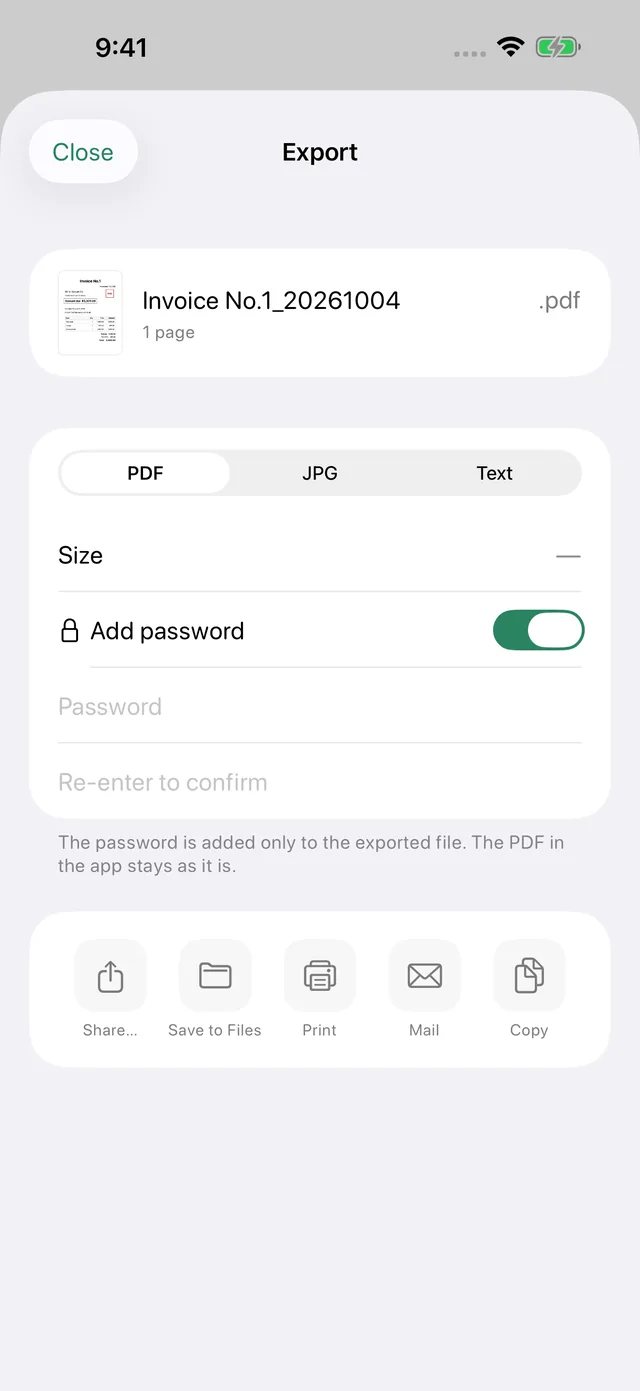
Lock it when you send itPassword-protect exported PDFs, and lock the app with Face ID (Pro).
Pricing
No monthly or yearly fee. Apple handles the purchase, so payments and refunds go through the App Store.
Free
Freeforever
No watermarks. No ads.
No account needed.
Capy Scan Pro
Pay onceno subscription
The price is shown in the app and on the App Store.
Supports Family Sharing. New phone? Tap Restore Purchases.
Start from the last onboarding page or any Pro screen. You're never charged when it ends, and your PDFs stay right where they are.
Before you download
Better you hear it from us first.
FAQ
Scanning (no page limit), saving, sharing, and printing PDFs, folders, tags, searching by name and document text, and reading QR codes are free forever. Saved PDFs never get a watermark, and there are no ads.
Markup, signatures, redaction, and watermarks; Book, ID Card, Business Card, and Receipt scanning; export to JPG and text; password protection; copying and translating text; merging PDFs and extracting pages; and reminders. Pro is a one-time purchase with no monthly or yearly fee, and it supports Family Sharing.
Tap “Try free for 7 days” at the end of the welcome screens or on the Pro screen to try everything in Pro for 7 days. The trial starts as a free in-app purchase on the App Store, so you’ll see one purchase confirmation. You’re never charged automatically when it ends, and the PDFs you made stay as they are. The free trial is available once per Apple Account.
Tap “Restore Purchases” in Settings or on the Pro screen. Make sure you’re signed in with the same Apple Account you used to buy Pro.
On your iPhone. You can also find them in the Files app under On My iPhone → Capy Scan. Nothing is uploaded to the cloud automatically.
No. There’s nothing to sign up for and no login.

Scan it now and find it by a word later. Scanning is free, and there's no account to make.